> ## Documentation Index
> Fetch the complete documentation index at: https://docs.webapp.io/llms.txt
> Use this file to discover all available pages before exploring further.
# Hosting Domains
> Deploy your project to a custom domain or the onwebapp.io domain
## Custom Domains
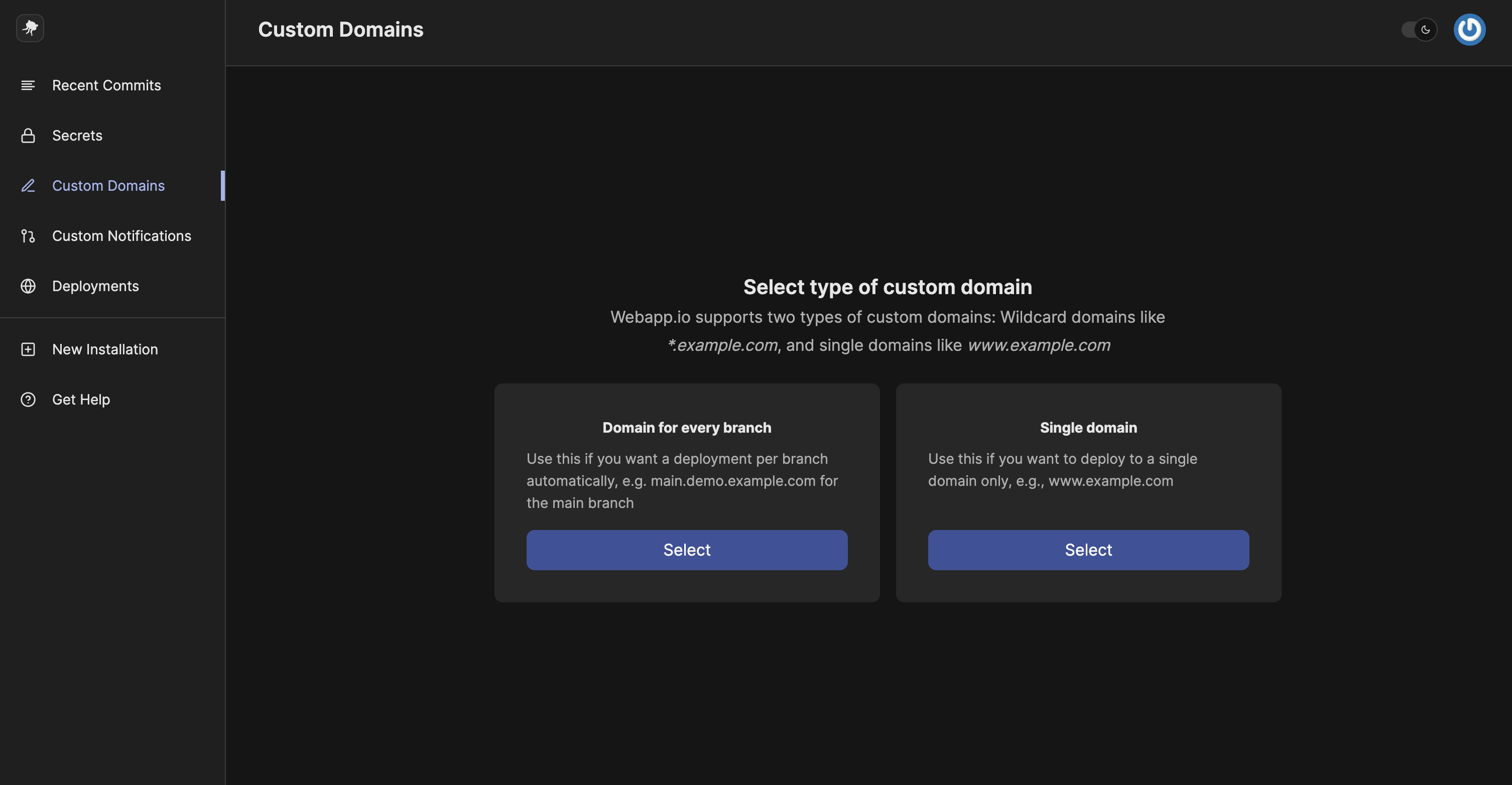
If you want to deploy your webapp.io virtual machine to a custom domain, add a domain in the `Custom Domains` section from your organization dashboard.
 ## onwebapp.io Domain
If you don't have a domain that you want to deploy to or you want to test with a domain, you can use the `onwebapp.io` domain.
To use this domain, click on `Webapp.io Subdomain` when selecting for a `Domain Type`.
## onwebapp.io Domain
If you don't have a domain that you want to deploy to or you want to test with a domain, you can use the `onwebapp.io` domain.
To use this domain, click on `Webapp.io Subdomain` when selecting for a `Domain Type`.
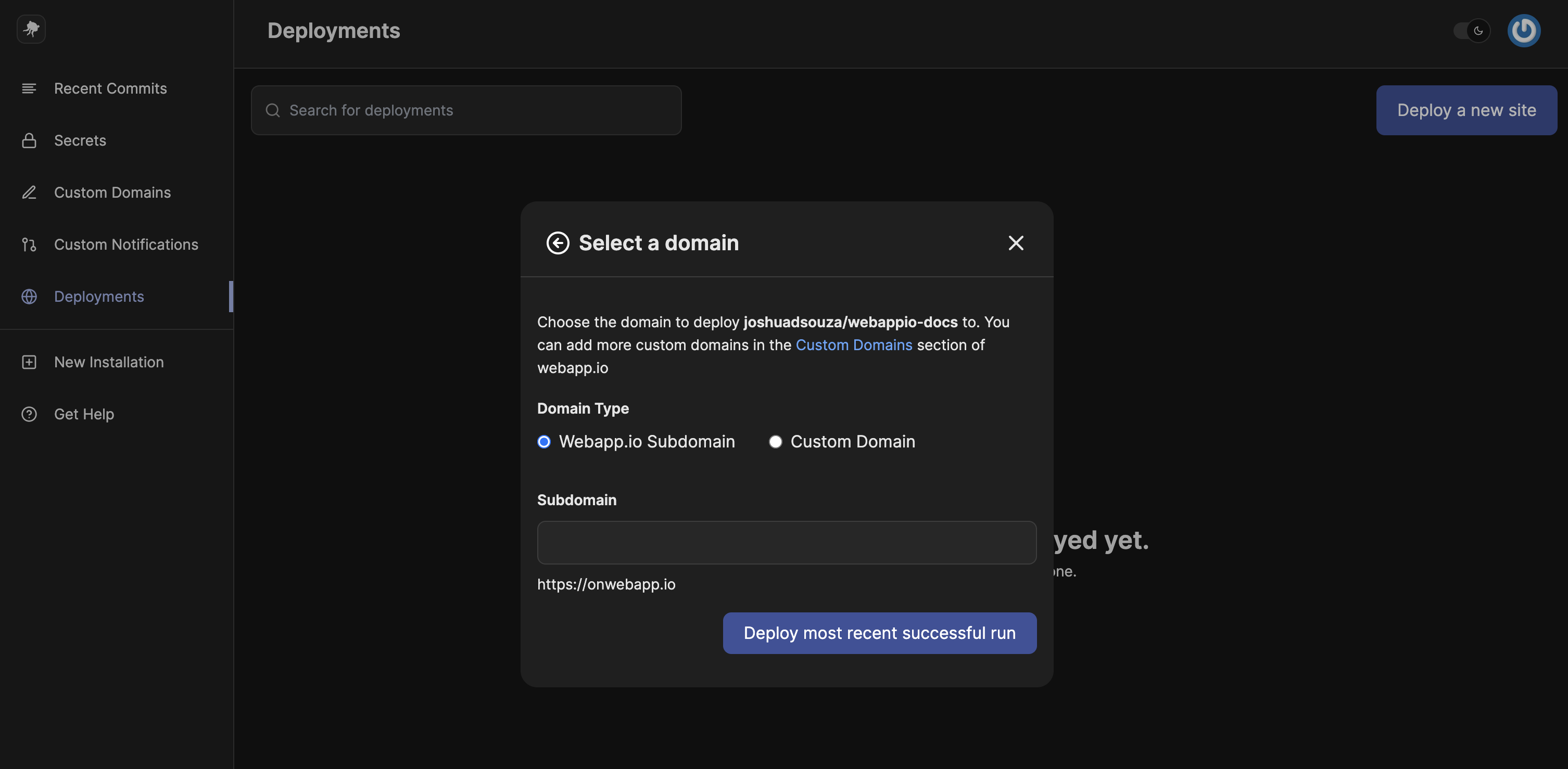 In the input field, enter in a subdomain. A subdomain can only contain lowercase letters, numbers, and dashes.
If your subdomain is available, we'll start a new run and deploy your project to the URL listed below the input field. If it's not available you'll receive an error to use a different domain.
* Dashes for the onwebapp.io subdomain are not allowed at the beginning or end of the subdomain
* You cannot deploy to the onwebapp.io domain
In the input field, enter in a subdomain. A subdomain can only contain lowercase letters, numbers, and dashes.
If your subdomain is available, we'll start a new run and deploy your project to the URL listed below the input field. If it's not available you'll receive an error to use a different domain.
* Dashes for the onwebapp.io subdomain are not allowed at the beginning or end of the subdomain
* You cannot deploy to the onwebapp.io domain